> ## Documentation Index
> Fetch the complete documentation index at: https://arize-ax.mintlify.site/docs/llms.txt
> Use this file to discover all available pages before exploring further.
# OpenAI
> Trace OpenAI Python, Node.js, and Go SDK calls (including Azure OpenAI) with OpenInference and send spans to Arize AX for LLM observability.
[OpenAI](https://openai.com/) provides the GPT family of large language models through the [OpenAI Python SDK](https://github.com/openai/openai-python), [OpenAI Node.js SDK](https://github.com/openai/openai-node), and the [official OpenAI Go SDK](https://github.com/openai/openai-go). Arize AX captures every OpenAI SDK call — chat completions, tool calls, and token usage — via the OpenInference instrumentors for [Python](https://github.com/Arize-ai/openinference/tree/main/python/instrumentation/openinference-instrumentation-openai), [JavaScript / TypeScript](https://github.com/Arize-ai/openinference/tree/main/js/packages/openinference-instrumentation-openai), and [Go](https://github.com/Arize-ai/openinference/tree/main/go/openinference-instrumentation-openai-go). The Python, TypeScript, and Go instrumentors all cover Azure OpenAI.
## Prerequisites
* Python 3.9+, Node.js 18+, or Go 1.25+
* An Arize AX account ([sign up](https://arize.com/sign-up/))
* An `OPENAI_API_KEY` from the [OpenAI Platform](https://platform.openai.com/api-keys), or Azure OpenAI credentials
## Launch Arize AX
1. Sign in to your [Arize AX account](https://app.arize.com/).
2. From **Space Settings**, copy your **Space ID** and **API Key**. You will set them as `ARIZE_SPACE_ID` and `ARIZE_API_KEY` below.
## Install
```bash Python theme={null}
pip install arize-otel openinference-instrumentation-openai openai
```
```bash TypeScript theme={null}
npm install openai \
@arizeai/openinference-instrumentation-openai \
@arizeai/openinference-semantic-conventions \
@opentelemetry/api \
@opentelemetry/exporter-trace-otlp-proto \
@opentelemetry/instrumentation \
@opentelemetry/resources \
@opentelemetry/sdk-trace-base \
@opentelemetry/sdk-trace-node \
@opentelemetry/semantic-conventions
```
```bash Go theme={null}
go get \
github.com/Arize-ai/arize-otel-go \
github.com/Arize-ai/openinference/go/openinference-instrumentation-openai-go \
github.com/openai/openai-go
```
## Configure credentials
```bash theme={null}
export ARIZE_SPACE_ID=""
export ARIZE_API_KEY=""
export ARIZE_PROJECT_NAME="openai-tracing-example"
export OPENAI_API_KEY=""
```
```bash theme={null}
export ARIZE_SPACE_ID=""
export ARIZE_API_KEY=""
export ARIZE_PROJECT_NAME="openai-tracing-example"
export AZURE_OPENAI_API_KEY=""
export AZURE_OPENAI_ENDPOINT=""
export OPENAI_API_VERSION=""
```
In the example below, swap the standard OpenAI client for the Azure client — `openai.AzureOpenAI()` in Python, `new AzureOpenAI(...)` in TypeScript, or `openai.NewClient(azure.WithEndpoint(...), azure.WithAPIKey(...), option.WithMiddleware(...))` using the [`openai-go/azure`](https://pkg.go.dev/github.com/openai/openai-go/azure) helpers in Go. The same instrumentor covers all three. The Go middleware recognizes Azure host suffixes (`*.openai.azure.com`, `*.services.ai.azure.com`, `*.cognitiveservices.azure.com`) and sets `llm.provider=azure` on those spans so backend queries can distinguish them from direct OpenAI traffic. The Python and TypeScript Azure clients read the API version from `OPENAI_API_VERSION` automatically; the Go Azure helper takes it as the second argument to `azure.WithEndpoint(endpoint, apiVersion)`.
## Setup tracing
```python Python theme={null}
# instrumentation.py
import os
from arize.otel import register
from openinference.instrumentation.openai import OpenAIInstrumentor
tracer_provider = register(
space_id=os.environ["ARIZE_SPACE_ID"],
api_key=os.environ["ARIZE_API_KEY"],
project_name=os.environ["ARIZE_PROJECT_NAME"],
)
OpenAIInstrumentor().instrument(tracer_provider=tracer_provider)
print("Arize AX tracing initialized for OpenAI.")
```
```typescript TypeScript theme={null}
// instrumentation.ts
import { OTLPTraceExporter } from "@opentelemetry/exporter-trace-otlp-proto";
import { resourceFromAttributes } from "@opentelemetry/resources";
import { SimpleSpanProcessor } from "@opentelemetry/sdk-trace-base";
import { NodeTracerProvider } from "@opentelemetry/sdk-trace-node";
import { ATTR_SERVICE_NAME } from "@opentelemetry/semantic-conventions";
import {
SEMRESATTRS_PROJECT_NAME,
} from "@arizeai/openinference-semantic-conventions";
import { registerInstrumentations } from "@opentelemetry/instrumentation";
import {
OpenAIInstrumentation,
} from "@arizeai/openinference-instrumentation-openai";
import OpenAI from "openai";
const projectName =
process.env.ARIZE_PROJECT_NAME ?? "openai-tracing-example";
export const provider = new NodeTracerProvider({
resource: resourceFromAttributes({
[ATTR_SERVICE_NAME]: projectName,
[SEMRESATTRS_PROJECT_NAME]: projectName,
}),
spanProcessors: [
new SimpleSpanProcessor(
new OTLPTraceExporter({
url: "https://otlp.arize.com/v1/traces",
headers: {
"arize-space-id": process.env.ARIZE_SPACE_ID ?? "",
"arize-api-key": process.env.ARIZE_API_KEY ?? "",
},
}),
),
],
});
provider.register();
const instrumentation = new OpenAIInstrumentation();
instrumentation.manuallyInstrument(OpenAI);
registerInstrumentations({ instrumentations: [instrumentation] });
console.log("Arize AX tracing initialized for OpenAI.");
```
```go Go theme={null}
// main.go
//
// Go integrations live in a single file — the tracer setup, the
// instrumented middleware, and the chat call all sit inside main().
// The `Run OpenAI` step below is just `go run main.go`.
package main
import (
"context"
"fmt"
"log"
"os"
"time"
arizeotel "github.com/Arize-ai/arize-otel-go"
openaiotel "github.com/Arize-ai/openinference/go/openinference-instrumentation-openai-go"
"github.com/openai/openai-go"
"github.com/openai/openai-go/option"
"github.com/openai/openai-go/shared"
"go.opentelemetry.io/otel"
)
func main() {
ctx := context.Background()
projectName := os.Getenv("ARIZE_PROJECT_NAME")
if projectName == "" {
projectName = "openai-tracing-example"
}
// Register reads ARIZE_SPACE_ID / ARIZE_API_KEY from the environment.
tp, err := arizeotel.Register(ctx, arizeotel.Options{
ProjectName: projectName,
})
if err != nil {
log.Printf("register tracer: %v", err)
return
}
defer func() {
shutdownCtx, cancel := context.WithTimeout(context.Background(), 5*time.Second)
defer cancel()
_ = tp.Shutdown(shutdownCtx)
}()
fmt.Println("Arize AX tracing initialized for OpenAI.")
// The middleware wraps every /v1/chat/completions request in an
// LLM-kind span. Reads OPENAI_API_KEY from the environment.
client := openai.NewClient(
option.WithAPIKey(os.Getenv("OPENAI_API_KEY")),
option.WithMiddleware(openaiotel.Middleware(otel.Tracer(projectName))),
)
resp, err := client.Chat.Completions.New(ctx, openai.ChatCompletionNewParams{
Model: shared.ChatModel("gpt-5.5"),
Messages: []openai.ChatCompletionMessageParamUnion{
openai.UserMessage("Write a haiku about observability."),
},
})
if err != nil {
log.Printf("openai: %v", err)
return
}
fmt.Println(resp.Choices[0].Message.Content)
}
```
**Go SDK** Only `/v1/chat/completions` is instrumented today; embeddings, responses, and image endpoints fall through unwrapped. Streaming responses pass through unchanged, but `output.value` and token counts are not populated for streaming spans yet.
## Run OpenAI
```python Python theme={null}
# example.py
# Importing instrumentation first ensures tracing is set up
# before `openai` is imported.
from instrumentation import tracer_provider
import openai
# The client reads OPENAI_API_KEY from the environment.
client = openai.OpenAI()
response = client.chat.completions.create(
model="gpt-5.5",
messages=[
{
"role": "user",
"content": "Write a haiku about observability.",
},
],
)
print(response.choices[0].message.content)
```
```typescript TypeScript theme={null}
// example.ts
// Importing instrumentation first ensures tracing is set up
// before the OpenAI client is used.
import { provider } from "./instrumentation";
import OpenAI from "openai";
// The client reads OPENAI_API_KEY from the environment.
const client = new OpenAI();
const response = await client.chat.completions.create({
model: "gpt-5.5",
messages: [
{ role: "user", content: "Write a haiku about observability." },
],
});
console.log(response.choices[0].message.content);
// Flush any pending spans before the process exits.
await provider.forceFlush();
```
```bash Go theme={null}
# The full example lives in main.go above.
go run main.go
```
### Expected output
```text wrap theme={null}
Arize AX tracing initialized for OpenAI.
Logs whisper softly,
metrics rise like morning mist —
truth in every span.
```
## Verify in Arize AX
1. Open your Arize AX space and select project **`openai-tracing-example`**.
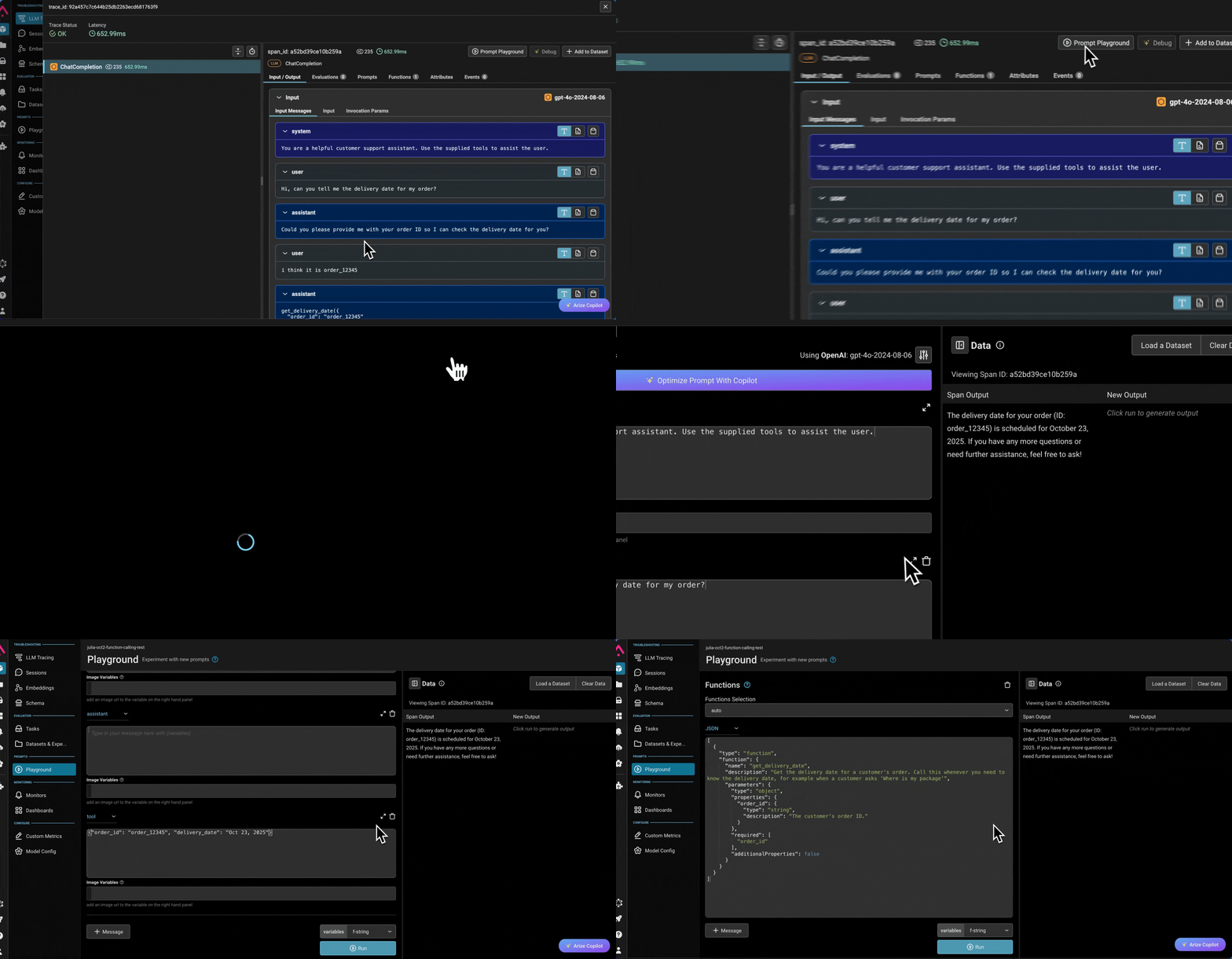
2. You should see a new trace within \~30 seconds containing an LLM span — `ChatCompletion` for the Python SDK, `OpenAI Chat Completions` for the Node.js SDK, or `openai.chat.completions.create` for the Go SDK — with the prompt, response, and token usage attached.
3. If no traces appear, see [Troubleshooting](#troubleshooting).
### Check from the skill, CLI, or SDK
Confirm spans are actually reaching your Arize AX project. Use whichever fits your workflow — the skill and CLI work for any framework; the SDK check is shown for each language.
Install the [Arize Skills](https://github.com/Arize-ai/arize-skills) plugin and let your coding agent check for you:
```bash theme={null}
npx skills add Arize-ai/arize-skills
```
Then prompt your agent:
> Use the `arize-trace` skill to export and analyze recent traces from my project. Confirm spans are arriving, and summarize any errors or latency issues.
Export recent spans for your project — any rows mean traces are landing:
```bash theme={null}
ax spans export "$ARIZE_PROJECT_NAME" --space "$ARIZE_SPACE_ID" \
--limit 5 --stdout | jq 'length'
```
A non-zero count confirms spans reached Arize AX. Run `ax auth login` first if you have not authenticated. See the [`ax spans` reference](/docs/api-clients/cli/spans).
Query the project's spans and check that at least one came back.
```python Python theme={null}
import os
from arize import ArizeClient
client = ArizeClient(api_key=os.environ["ARIZE_API_KEY"])
resp = client.spans.list(
project=os.environ["ARIZE_PROJECT_NAME"],
space=os.environ["ARIZE_SPACE_ID"],
limit=5,
)
count = len(resp.spans)
print(
f"{count} span(s) found" if count else "No spans yet — recheck setup"
)
```
```typescript TypeScript theme={null}
// Reads ARIZE_API_KEY from the environment.
import { listSpans } from "@arizeai/ax-client";
const { data: spans } = await listSpans({
project: process.env.ARIZE_PROJECT_NAME!,
space: process.env.ARIZE_SPACE_ID!,
limit: 5,
});
const count = spans.length;
console.log(
count ? `${count} span(s) found` : "No spans yet — recheck setup",
);
```
```go Go theme={null}
client, err := arize.NewClient(
arize.Config{APIKey: os.Getenv("ARIZE_API_KEY")},
)
if err != nil {
log.Fatal(err)
}
resp, err := client.Spans.List(ctx, spans.ListRequest{
Project: os.Getenv("ARIZE_PROJECT_NAME"),
Space: os.Getenv("ARIZE_SPACE_ID"),
Limit: 5,
})
if err != nil {
log.Fatal(err)
}
fmt.Printf("%d span(s) found\n", len(resp.Spans))
```
SDK span references: [Python](/docs/api-clients/python/version-8/client-resources/spans) · [TypeScript](/docs/api-clients/typescript/version-1/client-resources/spans) · [Go](/docs/api-clients/go/version-2/client-resources/spans).
## Trace tool usage
The instrumentor traces each `chat.completions.create` call automatically, including the tool calls the model requests. It does not trace your application *executing* those tools, or the loop that feeds results back to the model. To capture the full agent trace, wrap the loop in a manual chain span and each tool execution in a manual tool span with the [OpenTelemetry API](/docs/ax/instrument/manual-instrumentation) — the auto LLM spans nest under your chain span automatically. See [Combine auto and manual instrumentation](/docs/ax/instrument/combining-auto-and-manual) for the pattern.
```python Python theme={null}
# tools_example.py
# Importing instrumentation first ensures tracing is set up
# before `openai` is imported.
from instrumentation import tracer_provider
import json
import openai
from opentelemetry import trace
from openinference.instrumentation import OITracer, TraceConfig
# The client reads OPENAI_API_KEY from the environment.
client = openai.OpenAI()
tracer = OITracer(trace.get_tracer(__name__), config=TraceConfig())
# A trivial tool the model can call.
@tracer.tool
def get_weather(city: str) -> str:
return f"It is 72°F and sunny in {city}."
tools = [
{
"type": "function",
"function": {
"name": "get_weather",
"description": "Get the current weather for a city.",
"parameters": {
"type": "object",
"properties": {"city": {"type": "string"}},
"required": ["city"],
},
},
},
]
@tracer.chain
def weather_agent(question: str) -> str:
messages = [{"role": "user", "content": question}]
# First LLM call — auto-instrumented as an LLM span.
response = client.chat.completions.create(
model="gpt-5.5",
messages=messages,
tools=tools,
)
message = response.choices[0].message
messages.append({
"role": "assistant",
"content": message.content,
"tool_calls": message.tool_calls,
})
# Execute each tool call inside a manual TOOL span.
for tool_call in message.tool_calls or []:
args = json.loads(tool_call.function.arguments)
result = get_weather(**args)
messages.append({
"role": "tool",
"tool_call_id": tool_call.id,
"content": result,
})
# Second LLM call — the model answers using the tool result.
final = client.chat.completions.create(
model="gpt-5.5",
messages=messages,
)
answer = final.choices[0].message.content
return answer
print(weather_agent("What is the weather in San Francisco?"))
```
```typescript TypeScript theme={null}
// tools_example.ts
// Importing instrumentation first ensures tracing is set up
// before the OpenAI client is used.
import { provider } from "./instrumentation";
import OpenAI from "openai";
import { SpanStatusCode, trace } from "@opentelemetry/api";
import {
OpenInferenceSpanKind,
SemanticConventions,
} from "@arizeai/openinference-semantic-conventions";
// The client reads OPENAI_API_KEY from the environment.
const client = new OpenAI();
const tracer = trace.getTracer("weather-agent");
// A trivial tool the model can call.
async function getWeather(city: string): Promise {
await new Promise((resolve) => setTimeout(resolve, 100)); // Simulate a network call
return `It is 72°F and sunny in ${city}.`;
}
const tools: OpenAI.Chat.Completions.ChatCompletionTool[] = [
{
type: "function",
function: {
name: "get_weather",
description: "Get the current weather for a city.",
parameters: {
type: "object",
properties: { city: { type: "string" } },
required: ["city"],
},
},
},
];
async function runAgent(question: string): Promise {
// Manual CHAIN span wraps the whole tool loop.
return await tracer.startActiveSpan("weather-agent", async (chainSpan) => {
chainSpan.setAttribute(
SemanticConventions.OPENINFERENCE_SPAN_KIND,
OpenInferenceSpanKind.CHAIN,
);
chainSpan.setAttribute(SemanticConventions.INPUT_VALUE, question);
const messages: OpenAI.Chat.Completions.ChatCompletionMessageParam[] = [
{ role: "user", content: question },
];
// First LLM call — auto-instrumented as an LLM span.
const response = await client.chat.completions.create({
model: "gpt-5.5",
messages,
tools,
});
const message = response.choices[0].message;
messages.push({
role: "assistant",
content: message.content,
tool_calls: message.tool_calls,
});
// Execute each tool call inside a manual TOOL span.
for (const toolCall of message.tool_calls ?? []) {
if (toolCall.type !== "function") continue;
const args = JSON.parse(toolCall.function.arguments);
const result = await tracer.startActiveSpan(
toolCall.function.name,
async (toolSpan) => {
toolSpan.setAttribute(
SemanticConventions.OPENINFERENCE_SPAN_KIND,
OpenInferenceSpanKind.TOOL,
);
toolSpan.setAttribute(
SemanticConventions.INPUT_VALUE,
toolCall.function.arguments,
);
const r = await getWeather(args.city);
toolSpan.setAttribute(SemanticConventions.OUTPUT_VALUE, r);
toolSpan.setStatus({ code: SpanStatusCode.OK });
toolSpan.end();
return r;
},
);
messages.push({
role: "tool",
tool_call_id: toolCall.id,
content: result,
});
}
// Second LLM call — the model answers using the tool result.
const final = await client.chat.completions.create({
model: "gpt-5.5",
messages,
});
const answer = final.choices[0].message.content ?? "";
chainSpan.setAttribute(SemanticConventions.OUTPUT_VALUE, answer);
chainSpan.setStatus({ code: SpanStatusCode.OK });
chainSpan.end();
// Flush any pending spans before the process exits.
await provider.forceFlush();
return answer;
});
}
console.log(await runAgent("What is the weather in San Francisco?"));
```
```go Go theme={null}
// main.go
//
// Self-contained tool loop: tracer setup, a manual CHAIN span, and a manual
// TOOL span around the tool execution — all in one file. Run with
// `go run main.go`.
package main
import (
"context"
"encoding/json"
"fmt"
"log"
"os"
"time"
arizeotel "github.com/Arize-ai/arize-otel-go"
openaiotel "github.com/Arize-ai/openinference/go/openinference-instrumentation-openai-go"
semconv "github.com/Arize-ai/openinference/go/openinference-semantic-conventions"
"github.com/openai/openai-go"
"github.com/openai/openai-go/option"
"github.com/openai/openai-go/shared"
"go.opentelemetry.io/otel"
"go.opentelemetry.io/otel/attribute"
"go.opentelemetry.io/otel/codes"
)
// A trivial tool the model can call.
func getWeather(city string) string {
return fmt.Sprintf("It is 72°F and sunny in %s.", city)
}
func main() {
ctx := context.Background()
projectName := os.Getenv("ARIZE_PROJECT_NAME")
if projectName == "" {
projectName = "openai-tracing-example"
}
tp, err := arizeotel.Register(ctx, arizeotel.Options{ProjectName: projectName})
if err != nil {
log.Printf("register tracer: %v", err)
return
}
defer func() {
shutdownCtx, cancel := context.WithTimeout(context.Background(), 5*time.Second)
defer cancel()
_ = tp.Shutdown(shutdownCtx)
}()
fmt.Println("Arize AX tracing initialized for OpenAI.")
tracer := otel.Tracer(projectName)
client := openai.NewClient(
option.WithAPIKey(os.Getenv("OPENAI_API_KEY")),
option.WithMiddleware(openaiotel.Middleware(tracer)),
)
tools := []openai.ChatCompletionToolParam{
{
Function: shared.FunctionDefinitionParam{
Name: "get_weather",
Description: openai.String("Get the current weather for a city."),
Parameters: shared.FunctionParameters{
"type": "object",
"properties": map[string]any{
"city": map[string]any{"type": "string"},
},
"required": []string{"city"},
},
},
},
}
question := "What is the weather in San Francisco?"
// Manual CHAIN span wraps the whole tool loop. Threading this ctx into the
// client calls nests the auto LLM spans under it.
ctx, chainSpan := tracer.Start(ctx, "weather-agent")
chainSpan.SetAttributes(
attribute.String(semconv.OpenInferenceSpanKind, semconv.SpanKindChain),
attribute.String(semconv.InputValue, question),
)
messages := []openai.ChatCompletionMessageParamUnion{
openai.UserMessage(question),
}
// First LLM call — auto-instrumented as an LLM span.
resp, err := client.Chat.Completions.New(ctx, openai.ChatCompletionNewParams{
Model: shared.ChatModel("gpt-5.5"),
Messages: messages,
Tools: tools,
})
if err != nil {
log.Printf("openai: %v", err)
return
}
message := resp.Choices[0].Message
messages = append(messages, message.ToParam())
// Execute each tool call inside a manual TOOL span.
for _, toolCall := range message.ToolCalls {
var input struct {
City string `json:"city"`
}
_ = json.Unmarshal([]byte(toolCall.Function.Arguments), &input)
_, toolSpan := tracer.Start(ctx, toolCall.Function.Name)
toolSpan.SetAttributes(
attribute.String(semconv.OpenInferenceSpanKind, semconv.SpanKindTool),
attribute.String(semconv.InputValue, toolCall.Function.Arguments),
)
result := getWeather(input.City)
toolSpan.SetAttributes(attribute.String(semconv.OutputValue, result))
toolSpan.SetStatus(codes.Ok, "")
toolSpan.End()
messages = append(messages, openai.ToolMessage(result, toolCall.ID))
}
// Second LLM call — the model answers using the tool result.
final, err := client.Chat.Completions.New(ctx, openai.ChatCompletionNewParams{
Model: shared.ChatModel("gpt-5.5"),
Messages: messages,
})
if err != nil {
log.Printf("openai: %v", err)
return
}
answer := final.Choices[0].Message.Content
chainSpan.SetAttributes(attribute.String(semconv.OutputValue, answer))
chainSpan.SetStatus(codes.Ok, "")
chainSpan.End()
fmt.Println(answer)
}
```
### Expected output
```text wrap theme={null}
Arize AX tracing initialized for OpenAI.
The weather in San Francisco is currently 72°F and sunny.
```
The trace tree in Arize AX is **`weather-agent`** (chain span) → two LLM spans → one **`get_weather`** tool span.
**Go SDK** The auto middleware still emits an LLM span for each `chat.completions.create` call, but it does not populate `tool_calls` as attributes on that span. The chain and tool spans are created manually with the OpenTelemetry API — threading the chain span's `ctx` into each request is what nests the auto LLM spans underneath it.
## Troubleshooting
* **No traces in Arize AX.** Confirm `ARIZE_SPACE_ID` and `ARIZE_API_KEY` are set in the same shell that runs the example. Enable OpenTelemetry debug logs with `export OTEL_LOG_LEVEL=debug` and re-run.
* **OpenAI spans missing but other spans present (Python).** `OpenAIInstrumentor().instrument(...)` must run before any `import openai` in the application. Make sure `instrumentation.py` is the first import in your entry point.
* **OpenAI spans missing but other spans present (TypeScript).** `instrumentation.manuallyInstrument(OpenAI)` must run before any code creates an `OpenAI` client. Make sure `import { provider } from "./instrumentation"` (or a side-effect-only `import "./instrumentation"`) is the first import in your entry point.
* **`401` from OpenAI.** Verify `OPENAI_API_KEY` is set and has access to the model in the example. Swap `gpt-5.5` for a model your key can call.
* **Azure OpenAI returns `Resource not found`.** Confirm `AZURE_OPENAI_ENDPOINT` points to your deployment, `OPENAI_API_VERSION` matches a version your deployment supports, and the example uses the Azure client constructor (`openai.AzureOpenAI()` / `new AzureOpenAI()`) rather than the standard OpenAI client.
* **TypeScript process exits before spans flush.** With `SimpleSpanProcessor`, spans are sent immediately, but make sure to `await provider.forceFlush()` (or call `provider.shutdown()`) before the process exits to avoid losing trailing spans.
* **Go process exits before spans flush.** `arize-otel-go` uses a batched span processor by default. The `defer tp.Shutdown(...)` block in `main.go` is what flushes the batch — without it, short-lived programs lose their last spans. Pass `SimpleProcessor: true` to `arizeotel.Register` if you want synchronous export instead.
* **Go example wraps the wrong endpoint.** The Go middleware only instruments `/v1/chat/completions`. Embeddings, responses, completions, and image endpoints pass through to the next middleware unchanged — no span is emitted for them in v0.
## Resources