

Why use code evals
Use a code evaluator when the check is objective: a keyword appears, a URL is valid, a format follows a rule. Arize AX includes evaluators for the common checks, and you can write your own for custom logic. Both are saved to the Eval Hub, where they are versioned and reusable across tasks. See Where evaluators live.Creating a code evaluator
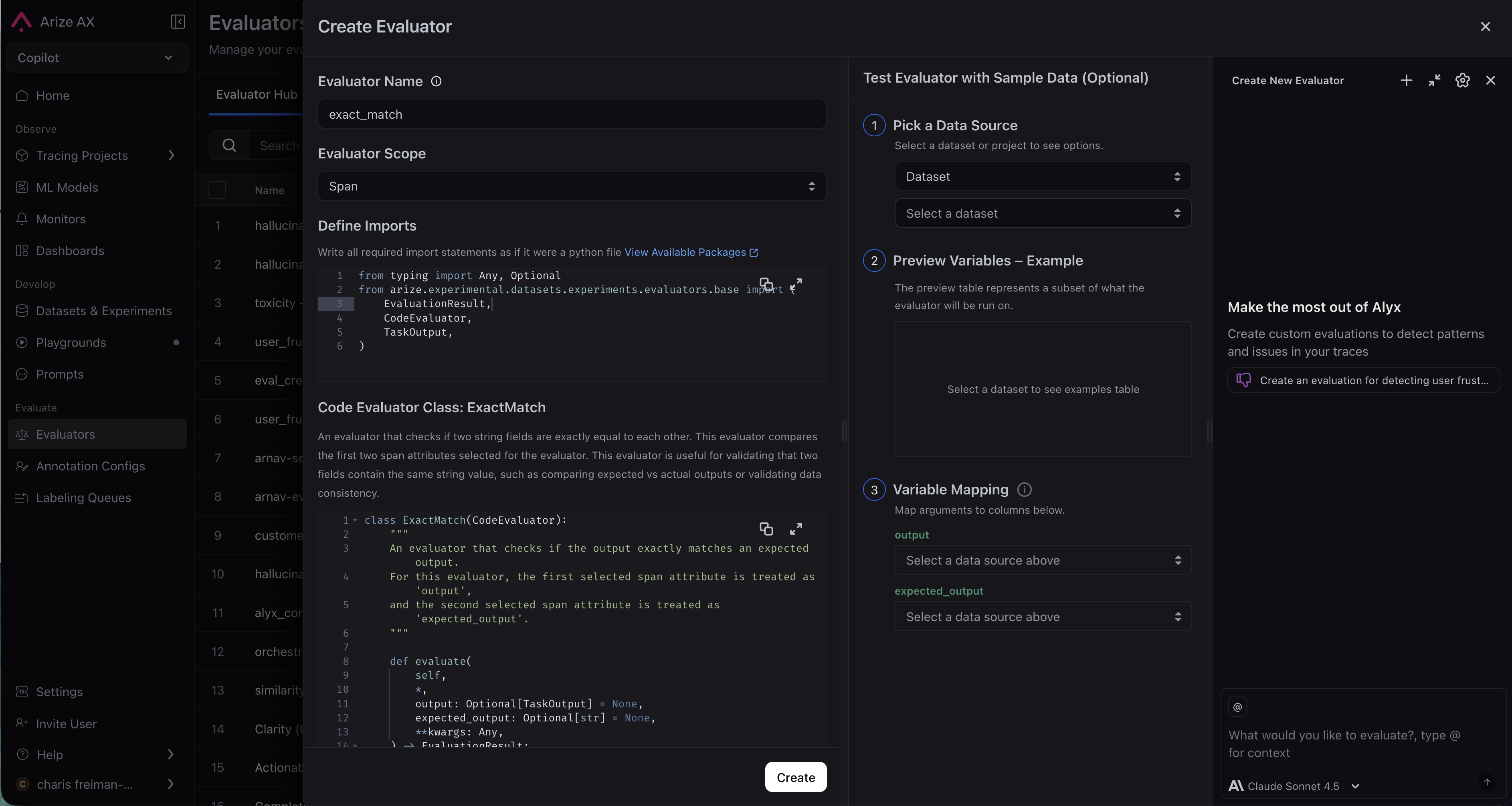
You can create a code evaluator directly in the UI, or have Alyx or Arize Skills do it for you.- By Arize Skills
- By Alyx
- By UI
- By Code
Use the Arize skills plugin in your coding agent and the arize-evaluator skill to create code evaluators and tasks via the
ax CLI without leaving your editor. See the skill doc for supported commands. Then ask your agent:- “Create a code evaluator that checks if the output is valid JSON”
- “Set up a regex evaluator that checks for a phone number in the response”
Pre-built evaluators
Arize manages a set of ready-to-use evaluators. Pick one from the drop-down and its Python source appears read-only in the editor, so you can see exactly what it does.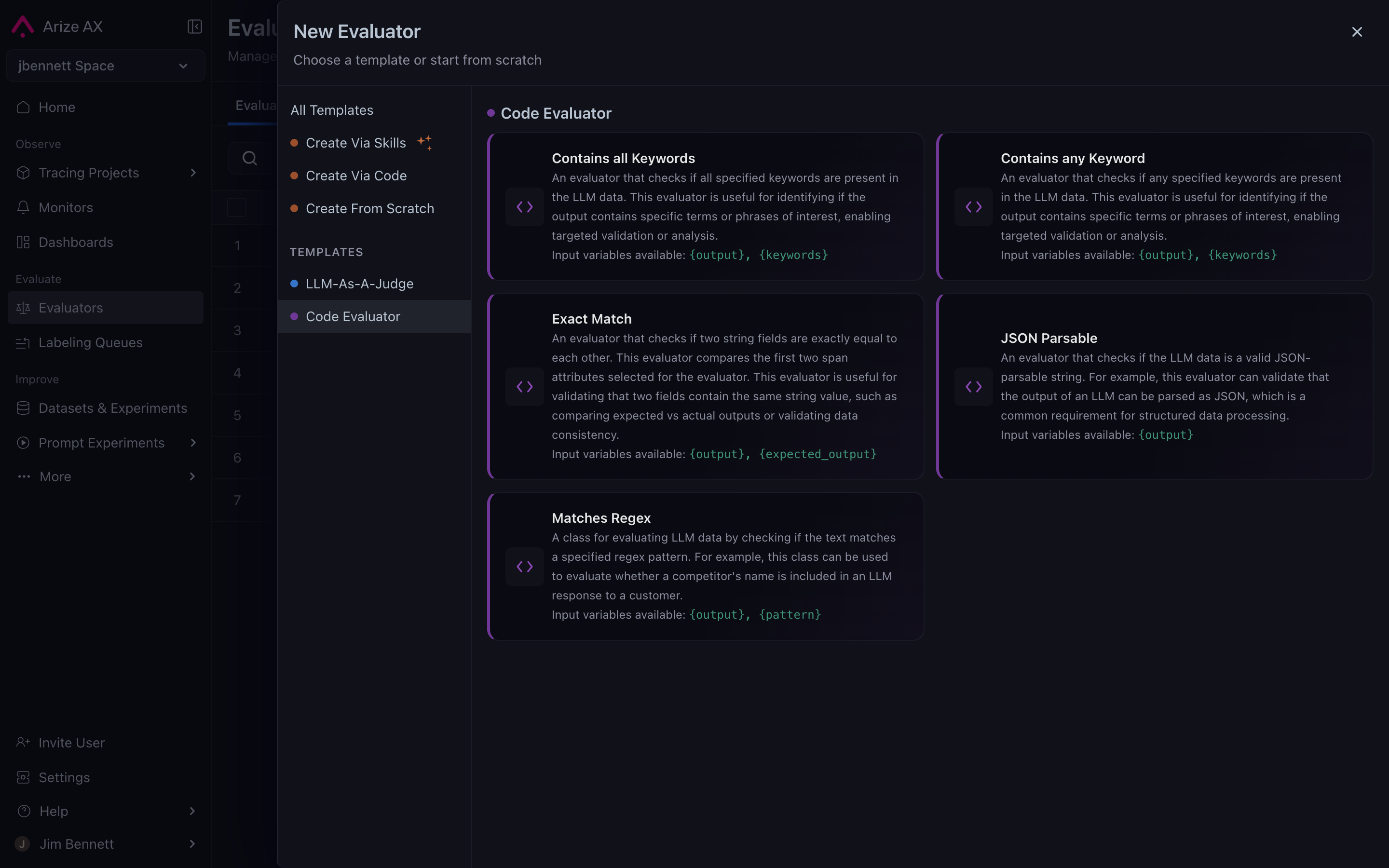
A pre-built code evaluator, with its Python source shown read-only
After you pick an evaluator:
- Provide a unique Eval Column Name for the evaluator in plaintext. Ensure that this name is distinct from other evaluators across all tasks. Here, you can also set Evaluator Scope and Filters.
- Map the evaluator’s inputs to span attributes or dataset columns, then define any required static parameters.
Writing your own evaluator
Select Create Custom to write your own evaluation logic in Python. The editor opens with a default template.Custom Code Evaluators are only available in Arize AX Enterprise. Request a demo here.
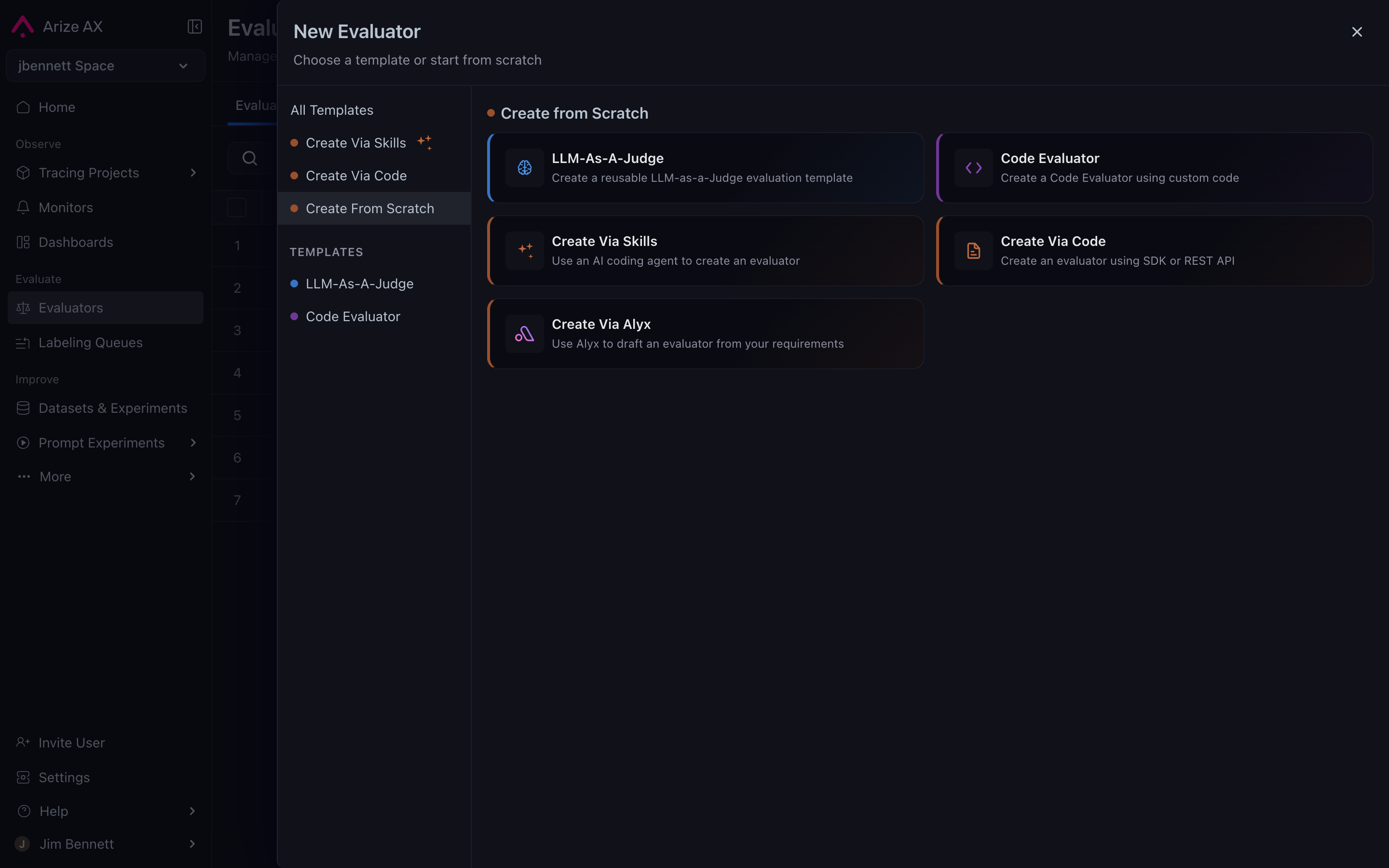
The custom code evaluator editor
input1 and input2 with named arguments that describe the data your evaluator needs. Each named keyword argument in the evaluate() method signature becomes a variable - when you use the evaluator in a task, you’ll map each variable to a span attribute or dataset column. You can name variables anything you want (e.g., user_query, assistant_response, ground_truth). self, dataset_row, and **kwargs are excluded from mapping.
The evaluate() method must return an EvaluationResult with:
label- A categorical string (e.g.,"pass","fail")score- A numeric value quantifying the resultexplanation- A brief rationale for the result
Static input parameters
In addition to variables (which change per row), you can define static input parameters - configuration values set once that stay the same for every row. This makes evaluators reusable without editing code. For example, a regex evaluator can be reused for different patterns just by changing itspattern parameter.
Static parameters are accessed via self.param_name and can be typed as String, StringArray (comma-separated list), or Regex.
threshold is a static parameter configured in the UI when creating or editing the evaluator.
Accessing data via dataset_row
For evaluators that need access to more data than the named variables provide, include a dataset_row parameter:
dataset_row dictionary contains span attributes. Common keys include attributes.output.value, attributes.input.value, and attributes.llm.token_count.total. Access values using .get() to handle missing keys gracefully.
When the system detects dataset_row in your method signature, the UI displays an Additional Span Attributes section where you can add extra attributes to include in the dict.
Supported packages
Custom evaluators run in a sandboxed environment with the following packages available:Editor features
- Real-time validation: As you write code, the system validates it server-side and extracts variable names from your
evaluate()method signature automatically. Errors are shown inline. - Expand-to-modal: Click the expand button to open a full-screen editor for complex evaluator code.
- Split-pane layout: The left panel contains your code and configuration; the right panel shows variable mappings and a live data preview.