

Connect your coding agent
Each guide covers installation, credentials, and content capture. Run a coding task, then open the project in AX.Find a session
Open the project’s Sessions tab. A session groups every trace sharing asession.id, so one conversation appears as a sequence of turns. Filter by time range, session ID, or user ID, or sort by duration or token count.
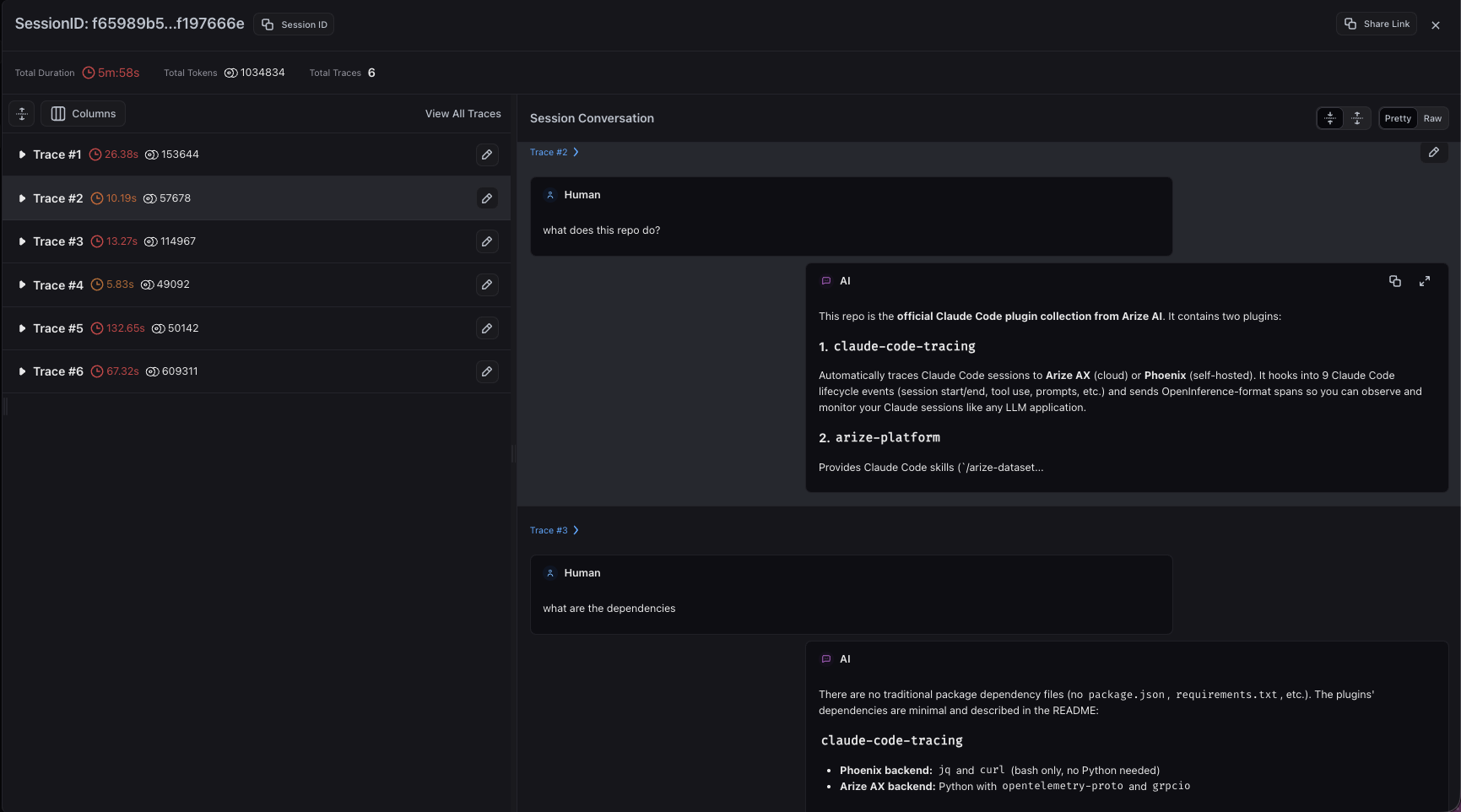
Claude Code turns grouped in a session in Arize AX
Investigate failures
Each turn is a trace with a span per model call or tool execution. Expand the span tree to inspect inputs, outputs, duration, and status.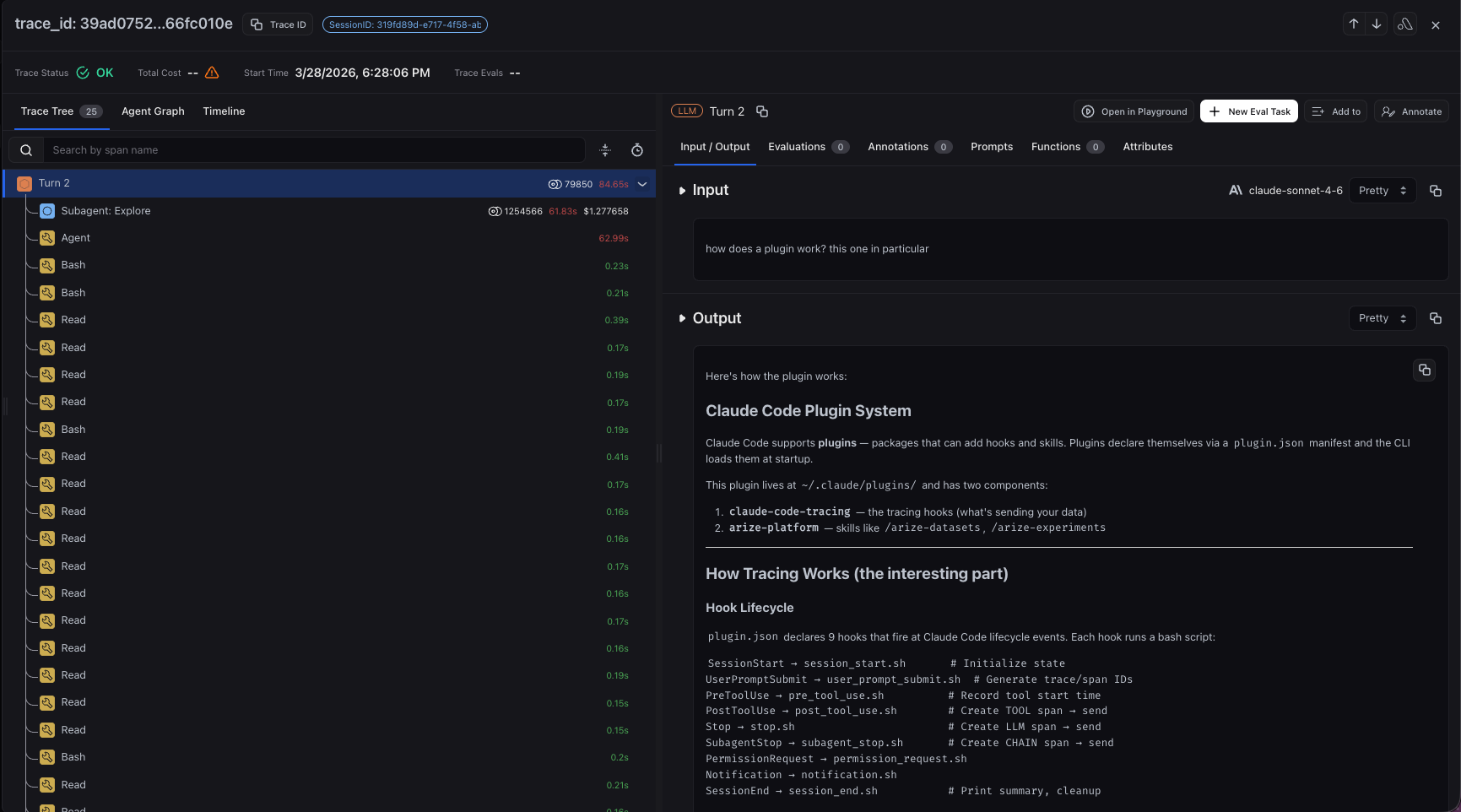
Inspect model calls and tool activity inside a Claude Code turn
Investigate cost and performance
Sort sessions by token count or duration and open the outliers. Look for repeated file reads, redundant model calls, long-running tools, and failed retries. Use trace and span filters to find the same pattern across sessions. AX uses reported cost attributes when present, otherwise it prices token counts with the model’s cost config. Recorded cost can differ from a coding tool’s subscription bill. See Track costs.Review activity and support governance
With user metadata captured, you can attribute a session to a person and review its tools, commands, and outputs. Each integration has flags for capturing prompt text, tool arguments, and tool output. Set them before collecting sessions. Tracing records activity. It does not enforce permissions or spending limits, and local tracing config does not guarantee every action is recorded.Improve and monitor across sessions
Turn what you find into a change, such as clarifying the test command in the agent’s instructions, then rerun similar tasks and check that retries drop.- Run trace and session evaluations across runs, with test results as evidence.
- Save custom views for recurring checks such as tool errors or high-token traces.
- Build dashboards and monitors for latency, token usage, and recurring errors.