

Core Concepts
Prompts
Every LLM evaluator is backed by a Phoenix prompt. When you create an LLM evaluator, Phoenix either creates a new prompt or links to an existing one. The prompt template defines how your evaluation parameters — the model’s input, output, reference data, and metadata — are presented to the judge. Templates use Mustache syntax. Variables like{{output}} and {{reference}} are replaced at evaluation time with values drawn from the evaluation parameters via input mapping.
A typical evaluator prompt has two parts:
- System message — Describes the evaluator’s persona, the scoring rubric, and any grading instructions.
- User message — Presents the data to evaluate, using template variables that get filled from the evaluation parameters.
Output Config
The output config defines what the evaluator produces. It becomes a tool that the LLM calls to return its judgment as structured output, ensuring labels and scores are always in the expected format. LLM evaluators support categorical output — a set of discrete labels, each mapped to a numeric score. For example, a correctness evaluator might define:
The config also specifies an optimization direction — whether higher scores are better (maximize) or lower scores are better (minimize) — so Phoenix can display trends meaningfully in experiment comparisons.
LLM Providers
LLM evaluators inherit their model configuration from the prompt. When you create or edit the evaluator’s prompt, you select a provider and model — the same providers available in the Phoenix prompt playground. Because credentials live on the server, team members can run evaluations without distributing API keys. See Configure AI Providers for the full list of supported providers, credential setup, and custom provider configuration.Prompt Versioning and Tagging
Evaluation quality depends heavily on prompt quality, and prompt quality improves through iteration. Phoenix tracks every version of an evaluator’s prompt so you can see exactly which criteria produced a given set of labels and scores.How Versioning Works
Each time you save changes to an evaluator’s prompt — whether updating the template text, switching models, or adjusting invocation parameters — Phoenix creates a new prompt version. Previous versions are preserved and can be viewed on the prompt’s Versions tab.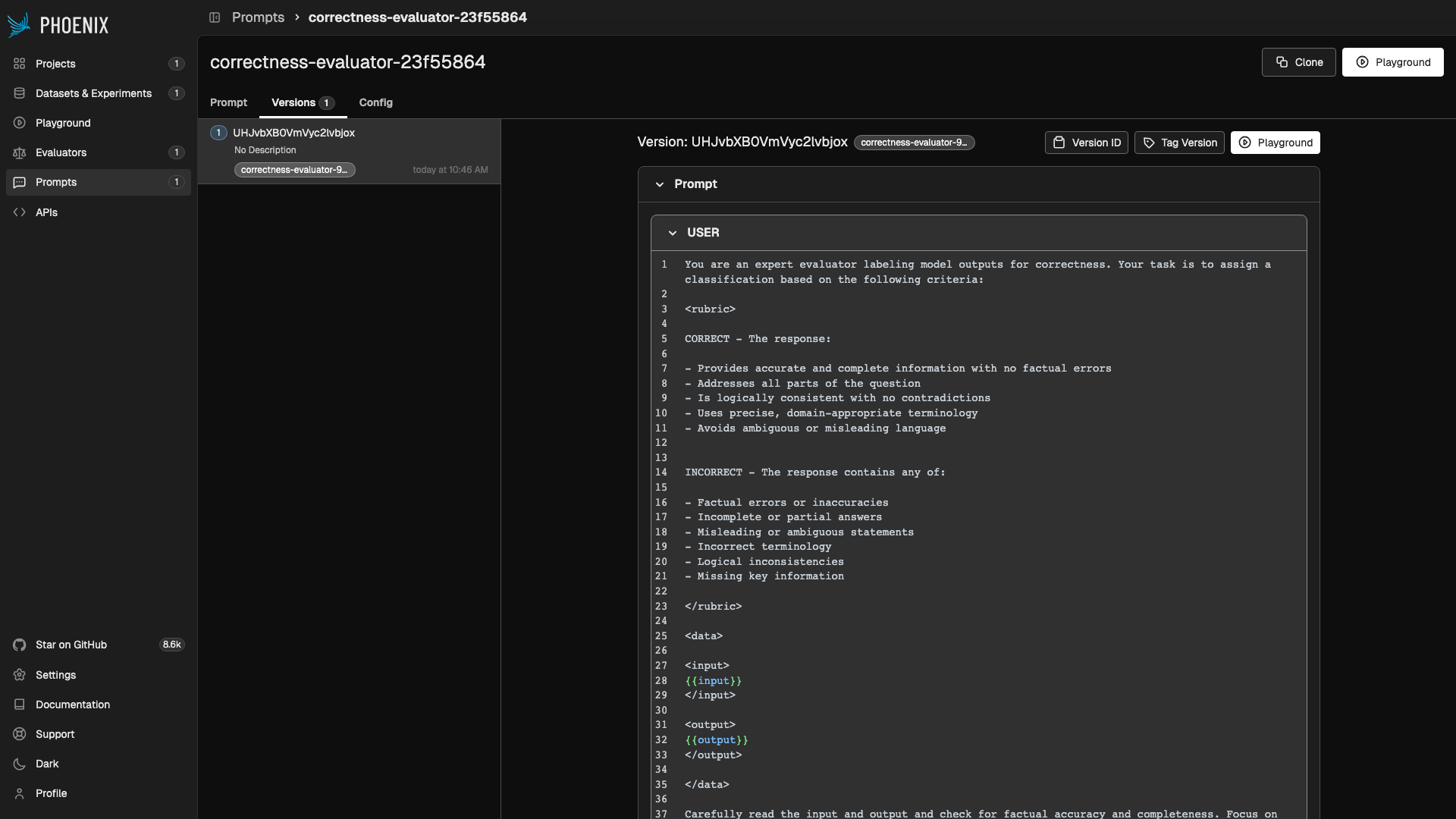
Prompt version history showing versions and tags
Tagging
Every LLM evaluator has a prompt version tag that determines which version of the prompt is used at evaluation time. This tag is a named pointer within Phoenix’s prompt management system. When you create an evaluator, Phoenix auto-generates a tag named after the evaluator (e.g.correctness-evaluator-932646b7).
The workflow:
- Create an evaluator — Phoenix creates a prompt and a tag pointing to the initial version.
- Iterate — Edit the prompt in the playground, test it against sample data, and compare versions.
- Promote — When satisfied, save the prompt and advance the tag. The evaluator now uses the new version.
correctness-evaluator-932646b7). If you leave it unchecked, the new version is saved but the evaluator continues using the previously tagged version.
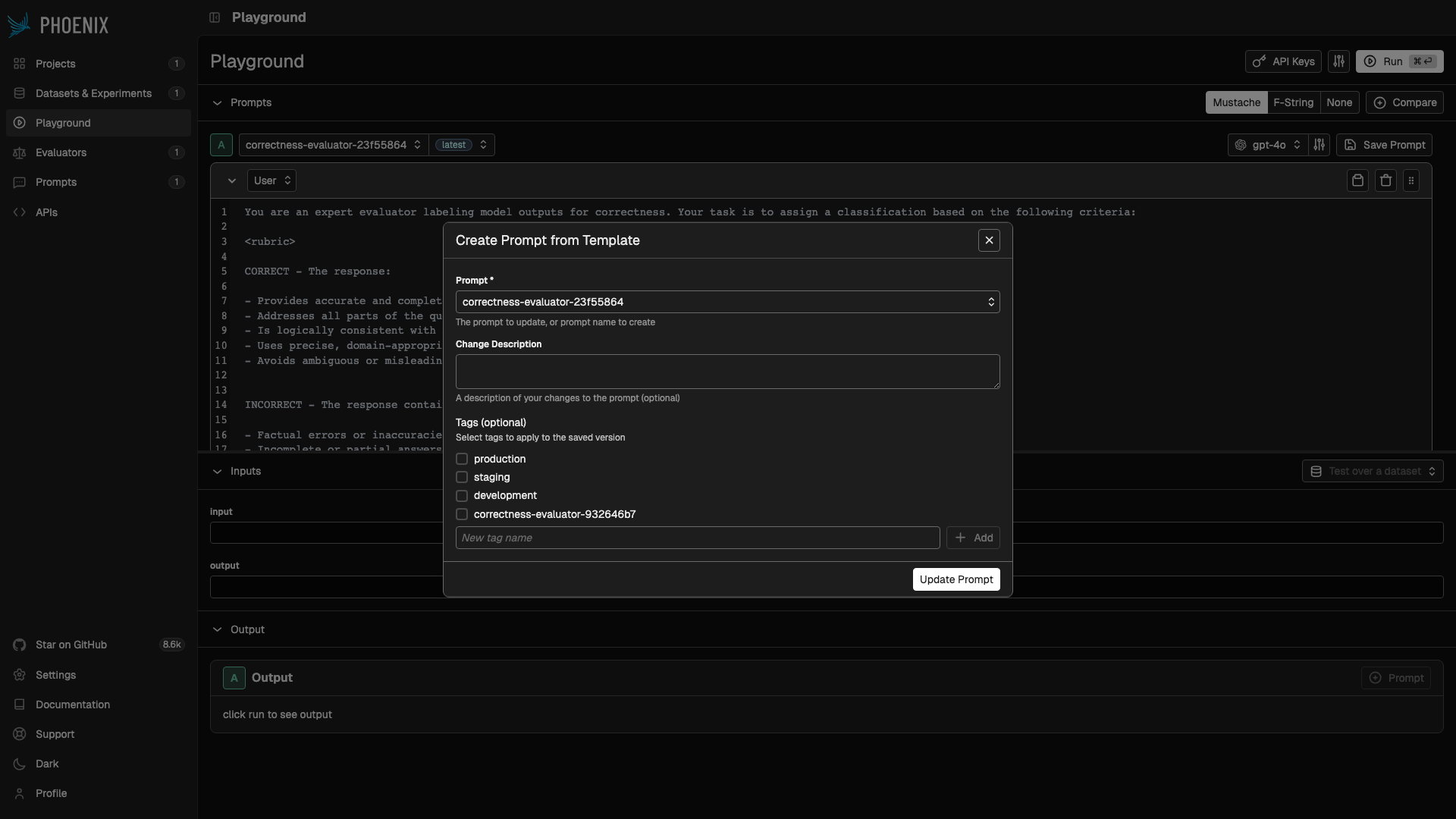
The Save Prompt modal. Check the evaluator's tag to advance it to the new version.
Evaluator Traces
Every LLM evaluator call produces an OpenTelemetry trace in a dedicated project. These traces capture:- The formatted prompt sent to the judge
- The model’s response and tool calls
- Latency and token usage